

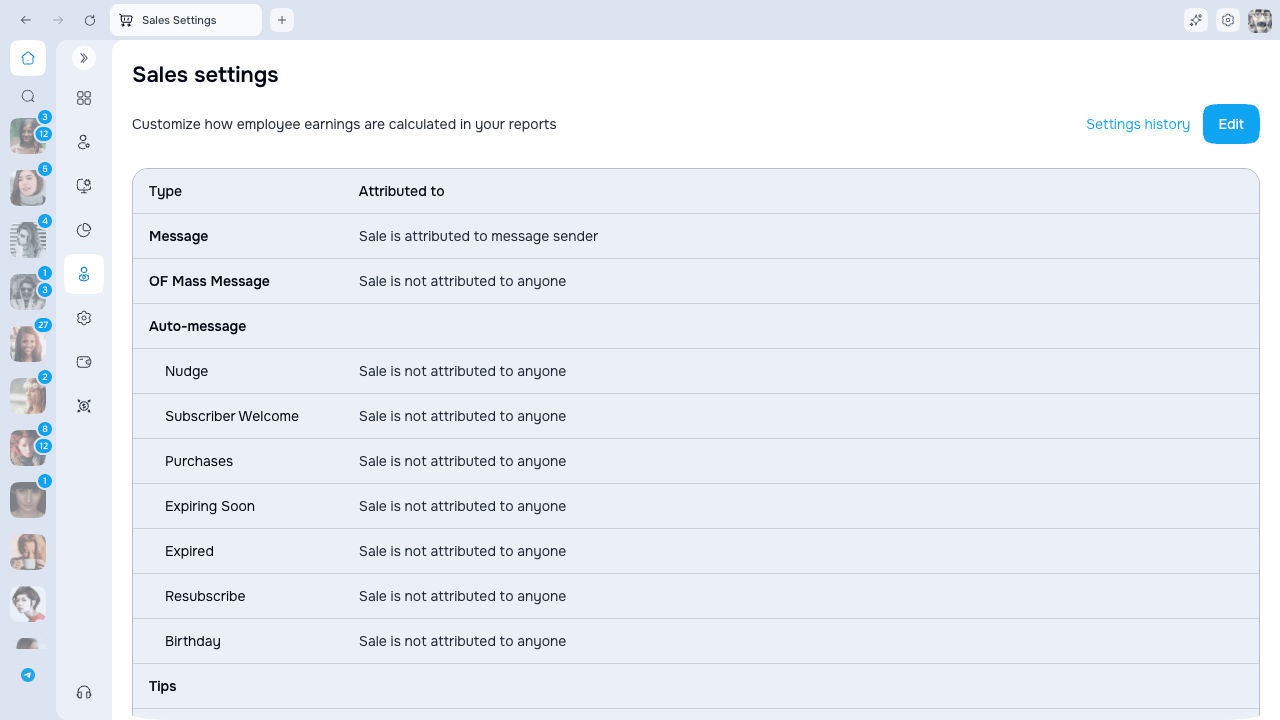
Supported sale types
Rules are configured for:- Messages and OnlyFans mass messages
- Auto-message triggers, including subscriber and purchase lifecycle events
- Tips from messages, profile, posts, OnlyFans live streams, and stories
- Posts
- Subscriptions
- OnlyFans live-stream sales
- OnlyFans referral earnings present in synchronized sales data
Attribution methods
Not every method is available for every sale type. The editor only displays valid choices for the selected row. If no enabled condition can identify an employee, the sale remains unattributed.
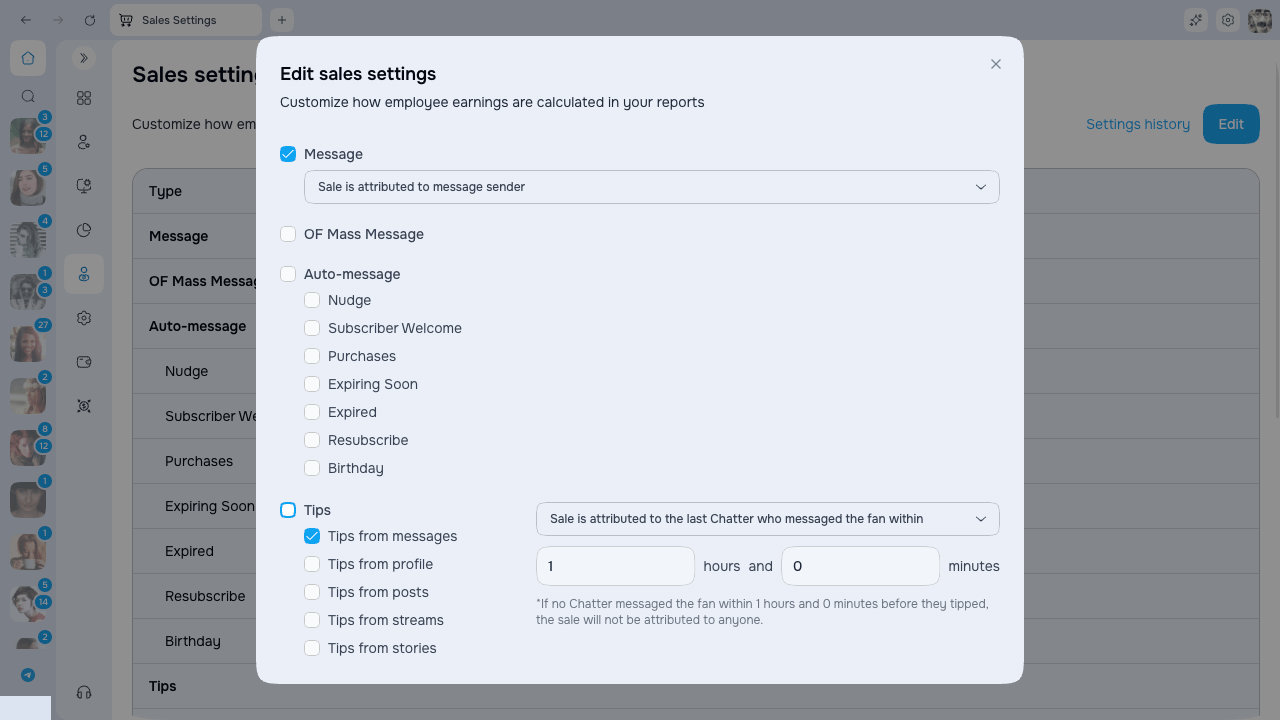
Last chatter window
Set the window in hours and minutes. The editor accepts 0–23 hours and 0–59 minutes. If no chatter messaged the fan inside that period, the sale is not attributed by this rule.Amount exclusions
- Exclude OnlyFans Service Fee (20%) — employee reports use the amount after the platform fee for attributed sales.
- Exclude refunds — refunded amounts are excluded according to the report’s sales calculation.
Edit and schedule a version
- Click Edit.
- Enable only the sale types that should contribute to employee reporting.
- Choose an available attribution method for each enabled type.
- Configure the last-chatter window where used.
- Review the service-fee and refund switches.
- Save and choose the date and time when the version should take effect.
Analytics follows the settings version effective at the time being reported. A new version is not a promise to retroactively reassign every historical sale.
History
Open Settings history to review previous and scheduled versions, their start dates, exclusions, and attribution table. Use the history when explaining why an employee report changed across periods.Permissions
- Sales Settings → View list opens the active settings and history.
- Sales Settings → Edit allows a user to create a new effective version.
Related pages
- Employee Analytics — attributed team performance
- Creator Analytics — creator results, including activity not assigned to an employee
- Shift Management — schedules used by Employee on shift attribution