

Selecting items
Hover a thumbnail and click the checkbox in the corner to select it. You can also:- Click multiple thumbnails to add them to the selection
- Use Select all to select every visible item
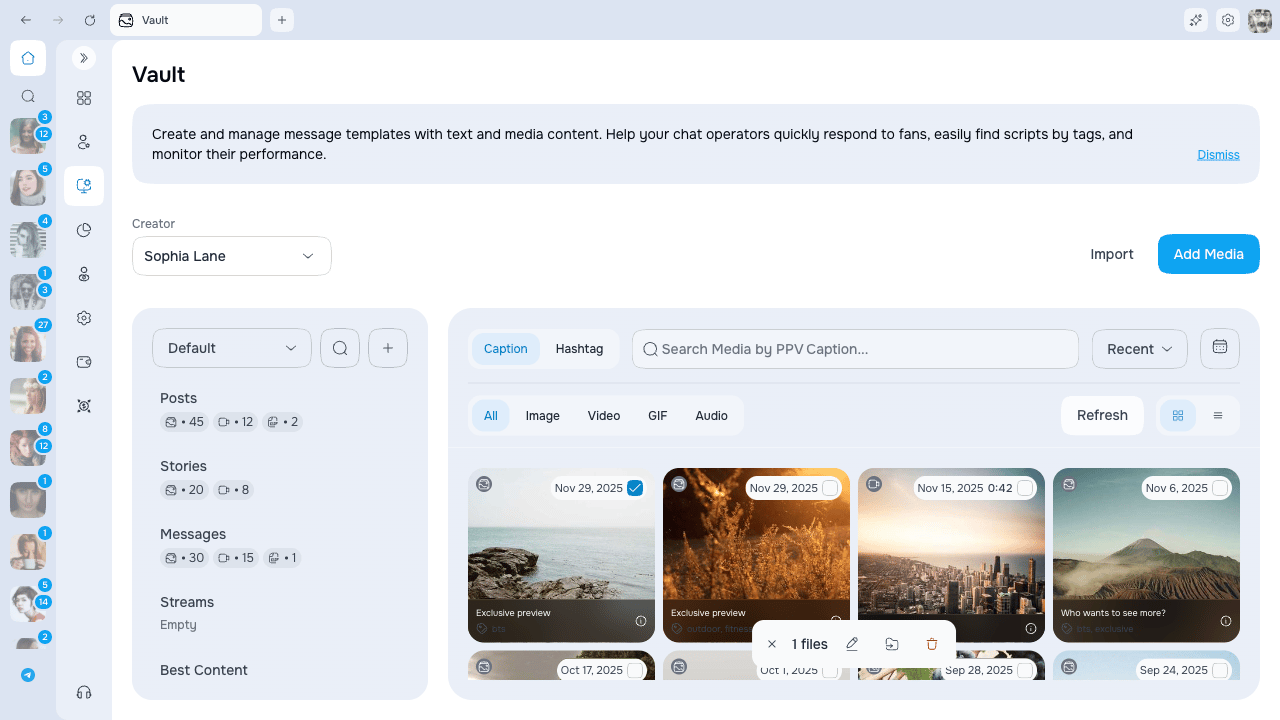
Bulk Edit
Click Edit in the action bar to open the Batch Edit modal. This modal gives you a field picker — check only the fields you want to apply, leave the rest untouched.Saving
Click Save. All selected items are updated in one operation. A success notification confirms the update and the grid refreshes.Add to category
Click Add to Category in the action bar to add every selected item to one or more OnlyFans categories.- Pick an existing category, or create a new one inline
- Items keep their current categories — this action adds, it does not move or replace
- Checked and disabled — every selected item is already in that category
- Partly checked — some selected items are already there; selecting it adds only the missing items
- Empty — none of the selected items are in that category
Remove from the current category
Inside a regular editable category, use Remove from category on one item or on the bulk action bar. The items disappear from that category but remain available in the main Vault and in any other categories. This action is not shown in the main Vault or in system categories that cannot be edited. It is separate from Delete, which removes the media from OnlyFans Vault.Bulk delete
Click Delete to remove the selected items. A confirmation dialog shows the number of items before the operation runs.Limits
If you selected more than 100 items, the operation is split automatically and you see progress feedback.
Next steps
- Captions, hashtags and metadata — Per-item metadata fields
- Gallery picker — Using vault media in chat, PPV, and mass messages